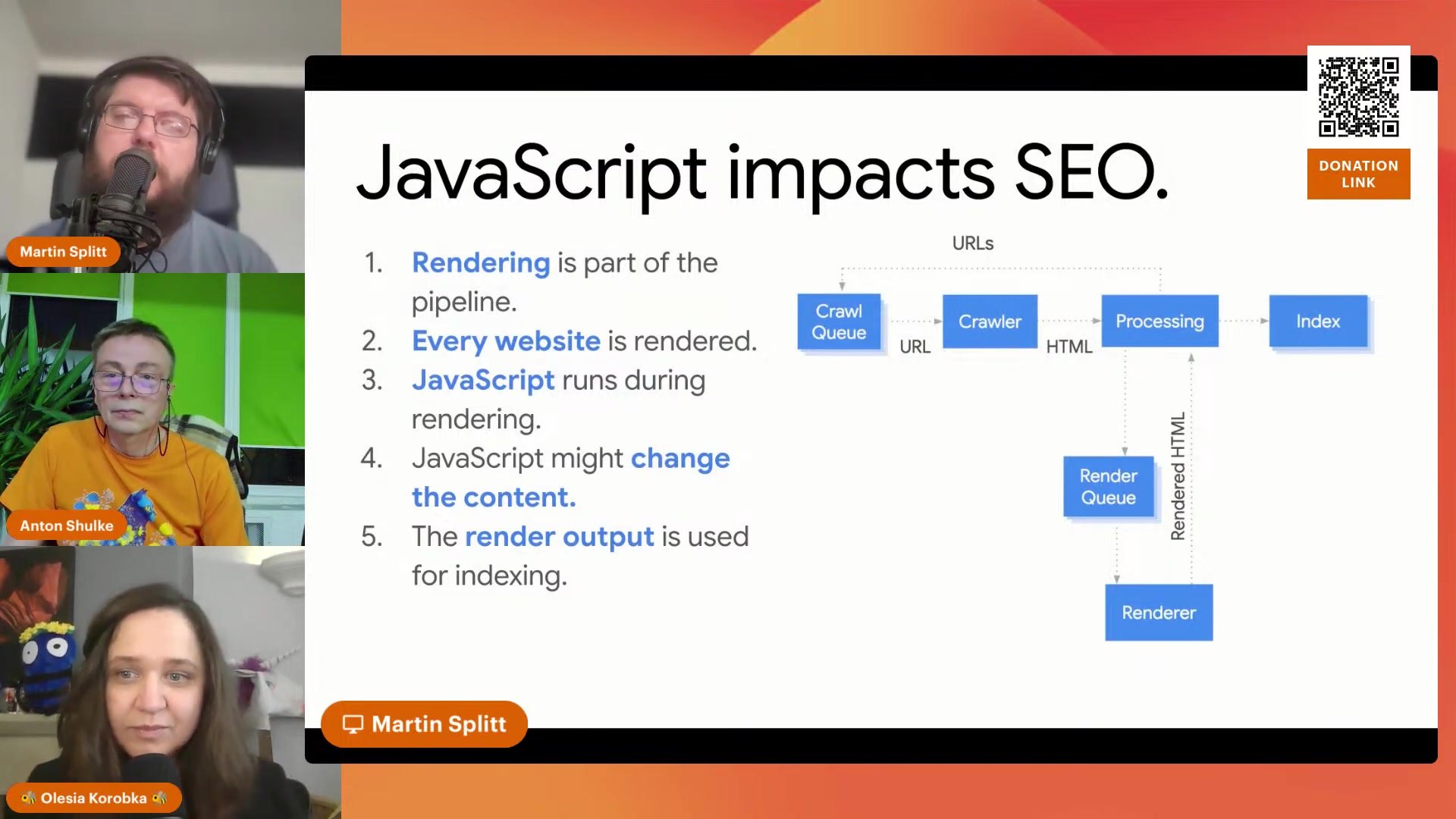
Martin Splitt: Debugging JavaScript Websites at SEO for Paws
Debugging a JavaScript website starts with one habit change: stop reading your source code and start reading your rendered HTML, because the rendered version is the one Google indexes. That is the thread through Martin Splitt‘s talk at SEO for Paws 3, the SEO Charity conference that raises money for Ukrainian animal shelters. Splitt, a developer advocate on Google’s Search Relations team, shows why client-rendered pages quietly fall out of search and how to trace the loss back to the exact script causing it. His full session is below, and the walkthrough underneath it follows the method he used.
Google indexes rendered HTML, not your source
Rendered HTML is the version Google stores, and it is rarely the one you check. Open view-source and you see the raw markup your server sent, before a single script runs. Google does not stop there. It runs your JavaScript, lets that code rewrite the page, and indexes the result: the rendered DOM. So a page that looks complete in view-source can still reach Google with half its content missing, and the fix begins with looking at the right version of the page.
The error page that got indexed anyway
His main example is a page that shows “an error occurred” in the search results instead of its real content. It should never have been indexed, so how did it get in? The site built its content client-side, and its host answered every request with an HTTP 200, including URLs that do not exist. Google crawled the URL, received a 200, rendered it, and filed the error state as a normal page. The JavaScript is what decides whether the page is an error, but by the time it runs the 200 has already told Google this URL is fine. That is a soft 404, and Splitt is blunt about where it goes wrong: the problem did not start in the JavaScript, it started the moment the server replied 200. Error pages have to return a real error code so the crawler knows there is nothing worth keeping.
How Martin Splitt debugs a JavaScript page
Splitt debugs in a fixed order, and it starts in Search Console rather than in your browser:
- Run the URL Inspection tool on the live URL and choose View crawled page. Skip the screenshot, it tells you nothing here. Read the rendered HTML, because that is precisely what Google saw, and search it for the content you expect.
- Check the HTTP status under More info, then Resources. An error page answering 200 instead of 404 is the exact bug from the example above.
- Open your browser DevTools. The Elements tab is the rendered DOM, the page after scripts run; the Sources tab is the source HTML the server sent. Content that sits in Elements but not in Sources was injected by JavaScript.
- In the Network tab, right-click the column headers and turn on Initiator. That column names what loaded each resource, your own HTML or a specific script, so you can point at the exact file pulling the content in.
That order also tells you when to stop. Before you blame JavaScript, run three quick checks, and if all three pass the problem is almost certainly somewhere else:
- The content you expect is present in the rendered HTML.
- The URL returns the correct HTTP status code.
- Every script loaded, with nothing blocked in robots.txt or failing to fetch.
When content is genuinely missing, the initiator is where the trail ends. If it points to a third-party script, a tracker or an external tool, pull it out temporarily to confirm the cause or take it to whoever owns it. If a build step has bundled everything into one file, tracing stops there and the next conversation is with a developer. And if the content is already in the source HTML yet missing from Google’s rendered version, JavaScript is not your culprit at all: look at your server, your CDN, or caching.
The one question worth repeating
Splitt boils the whole session down to one line of questioning. Where is this content coming from? If it comes from JavaScript, is it our JavaScript or a third party’s? Answer that and you know exactly who can fix it.
Rendering is only one part of the bigger picture. The Google indexing signals quiz runs through 20 well-known SEO factors and asks which ones actually decide whether a page gets indexed at all.
About Martin Splitt
Martin Splitt is a Developer Advocate on Google’s Search Relations team and one of its most recognizable voices on JavaScript SEO, rendering, and how Googlebot really sees a page. He gave this talk at SEO for Paws, part of the SEO Charity project run by Anton Shulke, where SEO practitioners donate sessions and the audience donates to animal shelters in Ukraine. Olesia Korobka hosted the conference; the rest of that day’s lineup is on the SEO for Paws 3 edition page.